
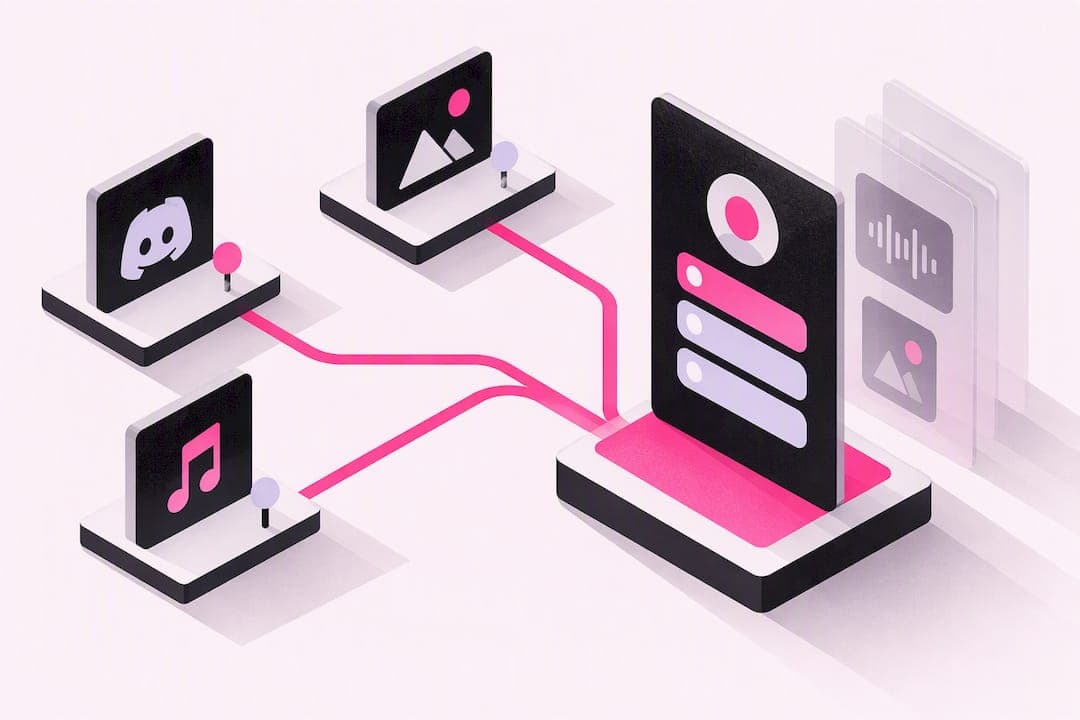
For creators who need a bio page that shows real-time Discord status, plays music, and never asks for a monthly fee again, Sorry.love is the strongest pick. It combines heavy customization with presence-aware features most link tools skip entirely, and its one-time pricing model means you pay once for premium features and keep them for good.
TL;DR:
- Customized layouts with real-time presence indicators and background audio help creators feel more authentic and engage visitors effectively.
- Prioritize highlighting your main action, such as live status or a top campaign, over a long list of links to improve visitor conversion and clarity.
- Upfront testing small changes like CTA wording and link order can significantly boost engagement without full page redesigns.
- A one-time payment of around $7 for advanced features and trust badges offers a more cost-effective choice than recurring subscriptions.
- Focus on stability of cost and actual live signals, as these factors drive long-term engagement better than template variety or aesthetic complexity.
Table of Contents
- What Does a Creator Link in Bio Actually Do?
- What Features Should Creators Prioritize in a Link-in-Bio Tool?
- How to Set Up a Creator Link in Bio Step by Step
- Design and Content Ideas That Fit Your Creator Type
- How Do You Track and Grow Your Bio Link's Performance?
- Free, Premium, or Lifetime: Which Pricing Model Fits You?
- Why Sorry.love Fits What Creators Actually Need
- What Most Bio Link Advice Gets Wrong
- Try Sorry.love Free, or See What Premium Unlocks
- Sources
- FAQ
What Does a Creator Link in Bio Actually Do?
A creator link in bio is a single URL that sits in your Instagram, TikTok, or Twitch profile and expands into a full page of destinations. Instead of swapping one link every time you have news, you point followers to one page that hosts everything at once. That single change solves a problem every creator eventually hits: platforms give you exactly one clickable link, but you have five things worth clicking.
The real value shows up in how it changes discovery and campaign routing. A bio link for creators lets you push traffic to different goals without rewriting your profile each time, and it centralizes monetization so tips, merch, and affiliate links live in one place visitors already trust.
Common uses include:
- Launching a new single or video and routing fans to every streaming platform at once
- Announcing a livestream schedule while linking to past VODs
- Collecting tips or subscriptions through a single, persistent link
- Driving traffic to a shop, Patreon, or client booking page without cluttering your main platform bio
What Features Should Creators Prioritize in a Link-in-Bio Tool?
Not every bio link tool solves the same problem, and the difference between a forgettable page and one that actually converts comes down to five categories.
- Customization. Look for real layout control, not just color swaps. Templates, theming, and the ability to reorder blocks matter more than a flashy homepage screenshot suggests.
- Integrations and presence. This is where most tools fall flat. A live Discord presence indicator, embedded content, and background audio turn a static page into something that feels like you, not a template with your name on it.
- Monetization support. Payment processor connections, tip buttons, and affiliate-friendly link structures separate tools built for creators from tools built for marketers.
- Analytics and trust signals. Privacy-respecting click data and visible reputation badges tell visitors, and you, whether the page is actually working.
- Ease of use. Mobile-first editing matters since most creators update their page from a phone between takes, not from a desktop dashboard.
Design platforms like Canva have made templates and drag-and-drop editing table stakes for link-in-bio pages, so customization alone no longer sets a tool apart. What separates the pack now is what happens after someone clicks: whether the page shows you're online, whether it plays your music, whether it tracks what worked.
Pro Tip: Before picking a tool, list the three actions you want visitors to take this month. If a platform can't make those three actions the most visible thing on the page, keep looking.
How to Set Up a Creator Link in Bio Step by Step
Getting a working page live takes less time than editing a single TikTok, and the sequence matters more than the platform you pick.
- Create your account and choose a template, or start from a blank layout if you want full control from the start.
- Add your links in priority order. Put the thing you most want clicked at the top, and attach UTM parameters to any link you're running in a campaign so you can trace traffic back to its source later.
- Turn on integrations. If you're a gamer or streamer, enable real-time Discord presence so visitors see when you're online. Add background audio if your brand leans musical. Connect a payment method now if you plan to accept tips or sell anything.
- Customize your branding: profile image, color palette, font choice. Then check the page on a phone. Most traffic to a bio link arrives from a phone browser, and a layout that looks clean on desktop can break on mobile.
- Copy the final URL and update it across every platform bio: Instagram, TikTok, YouTube, Twitch, and anywhere else your audience finds you.
A few things worth double-checking before you call it done:
- Every link opens correctly and points where you think it does
- UTM tags are consistent so your analytics don't fragment into a dozen untraceable sources
- Your Discord presence indicator actually updates when your status changes
Design and Content Ideas That Fit Your Creator Type
The layout that works for a musician rarely works for a streamer, and copying a generic template usually shows.
Pick one hero element and commit to it: a pinned campaign, your latest release, or the single CTA that drives revenue. Everything else on the page should support that choice, not compete with it. Each link block works best as a thumbnail, a one-line descriptor, and a clear call to action, rather than a bare text link with no context.
Badges and trust signals do quiet work here too. A verification badge, a sponsorship tag, or a visible stat (subscriber count, stream hours, release date) gives new visitors a reason to trust the page in the two seconds they'll actually look at it.
Format ideas by creator type:
- Musicians: Listen block up top, buy/merch link second, tour dates third
- Streamers: Live status and schedule first, VOD archive second, merch or donation link third
- Photographers: Portfolio front and center, print shop second, contact form last
Design studios that catalog creator page layouts consistently show this same pattern: a strong visual anchor followed by short, specific CTAs, based on examples collected by Affinity Studio.
How Do You Track and Grow Your Bio Link's Performance?
Clicks alone tell you almost nothing. What matters is click-through rate by individual link, which conversion events actually fire (a tip, a purchase, a follow), and where your traffic is coming from platform to platform.
Run small tests instead of overhauling the whole page. Swap the wording on your top CTA for a week and watch what changes. Move your second link to the top spot and see if engagement shifts. Creator interviews on shows like the Prompted Podcast point to a consistent pattern: one strong, obvious call to action tends to outperform a long list of scattered links, because visitors act on clarity, not options.
Simple monetization tactics you can add without rebuilding anything:
- A tip or donation button placed near the top, not buried at the bottom
- One or two affiliate links tied to products you actually use
- A gated link for premium content, like early access or exclusive posts
Then use whatever analytics your platform gives you to reorder links monthly based on what's actually converting, not what you assume is converting.
Free, Premium, or Lifetime: Which Pricing Model Fits You?
Most link-in-bio tools use one of three pricing shapes: a free tier with real limits, a monthly subscription that unlocks the full feature set, or a one-time purchase that removes the meter entirely.
Free tiers usually cap you on branding removal, analytics depth, or integrations like presence indicators and audio. That's fine when you're testing the waters, but it starts to hurt once your audience grows and you need real click data.
Subscriptions make sense if you want the newest features the moment they ship and don't mind a recurring line item. But for creators who know what they need now, a one-time payment avoids the slow bleed of monthly fees. Sorry.love's Premium plan runs $6.99 one time, with Verified status at $9.99 one time, no recurring charges attached to either.
- Choose free if you're just starting and want to test the format
- Choose subscription-based tools if you need frequent new features and don't mind ongoing cost
- Choose one-time or lifetime pricing if you know your needs and want to stop thinking about billing
Why Sorry.love Fits What Creators Actually Need
- Unified profile with real-time presence, audio, and customizable themes
- Privacy-respecting analytics paired with collectible reputation badges that build trust with visitors
What Most Bio Link Advice Gets Wrong
Most guides on this topic treat a link-in-bio page as a static list, then rank tools by how many templates they ship with. That misses what actually drives engagement. A visitor doesn't stick around because your page has forty template options. They stick around because the page feels alive, current, and specifically yours.
Presence signals do more work than most creators give them credit for. Showing that you're online right now, in Discord, on a page a follower just clicked from Instagram, closes a gap that a static link list can't touch. It's the difference between a business card and a storefront with the lights on.

The other overrated piece is design depth for its own sake. A gorgeous layout with no clear priority just distracts. What actually moves clicks is one obvious action per section and a page that doesn't ask visitors to guess what happens next. Pick your top priority, put it first, and let everything else support it.
If there's one thing worth prioritizing above template variety, it's stability of cost. A one-time payment removes a recurring decision you'll otherwise revisit every month for years.
— sorry.love
Try Sorry.love Free, or See What Premium Unlocks
Sorry.love gets you started for nothing. Every creator can build a live profile, connect Discord presence, and start collecting privacy-respecting analytics without entering a card number.

If you outgrow the free tier, upgrading is a single payment, not a subscription you'll forget to cancel. Premium unlocks deeper customization and analytics for $6.99 one time, and Verified status adds a trust badge for $9.99 one time, both detailed on the pricing page. Custom badge options are also available for creators who want a distinct visual mark on their profile.
Start by creating your free profile, turn on Discord presence, and check your analytics dashboard after your first week of traffic. That's the fastest way to know if your link order and CTAs are actually working.
Sources
Industry coverage of the link-in-bio market and creator setup discussions on the Prompted Podcast informed the guidance above, alongside Sorry.love's own product and pricing pages.
- Prompted Podcast
FAQ
How Do I Create a Link in Bio?
Sign up for a bio link platform, choose a template or start blank, then add your links in priority order. Enable any integrations you need, like Discord presence or background audio, and paste the finished URL into your social profiles.
How Do I Find the Link in My Bio?
Check the profile or bio section of the app you're using, usually right below your username and above your posts. If you haven't set one up yet, most platforms only allow one clickable URL there, which is exactly why a link-in-bio page exists.
What Is a Link in Bio for Influencers?
It's a single page that sits behind the one clickable link influencers get in their social profile, hosting everything from a shop to a tip jar to social links. Sorry.love adds live Discord presence and background music on top of the standard link list, aimed specifically at creators and gamers.
What Is an Example of a Link in Bio?
A musician might link to Spotify, Apple Music, tour dates, and a merch store, all on one page reached from their Instagram bio. A streamer's version might lead with a live status indicator, schedule, and Twitch link, followed by a donation button and past VOD highlights.